Change the background of your car photos for a sale listing
CarSalesPhoto changes the setting around a suitable exterior car photo while keeping the photographed vehicle as the source. The car itself is not regenerated. Private sellers and dealers can check photos before paying, then review every result before publishing.
One clear payment for car listing photos
€2.99 for the first accepted photo, then €0.30 for each additional accepted photo. VAT included where applicable.
These public prices do not require a watermark or coupon.
VAT included where applicable. Consumer orders are paid once, with no subscription.
A clear route from photo to listing
Start by choosing exterior photos of the car you plan to list. You can begin without creating an account. The photo flow checks basic file quality on your device and offers useful guidance before payment. Secure checks can then assess whether a selected photo is suitable.
Your own personalized result is not made before payment. The order shows the accepted-photo count and the final total, including VAT where applicable. Paid processing starts after payment is verified. When the results are ready, review every photo and decide which ones represent the vehicle faithfully enough for your listing. The service is a photo tool; it does not inspect the vehicle or promise a sale.
Your car remains the subject
The purpose is to change the visual setting around the vehicle in your source photo. The opaque pixels of the car come from that source; the service does not regenerate a different vehicle, repair it, or redesign its appearance.
Edges, glass, placement and shadow can differ in the result, so look closely at each image. Scratches, dents, dirt, missing parts and other visible condition details should stay honest in a sale listing. Do not publish a result that gives a misleading impression of the car.
Files ready to review and use
Successful photos include a large JPG for ordinary listing use and a transparent PNG cutout. The album is also bundled as a ZIP, so you can keep the delivered files together when moving them to your listing workflow.
An email download link brings you back to the finished results without requiring a password. Open the album, inspect the images at a useful size, and choose the views that show the car and its condition clearly. Fine edges and glass can vary, so review each output before publishing.
For private sellers and dealer teams
A private seller can prepare a focused set of exterior listing photos without setting up an account first. Choose the views that help someone understand the vehicle, then use one prepared scene across the album for a more consistent presentation. Review the results yourself before adding them to an advert or sending them to a buyer.
Dealers and vehicle professionals can also explore the business service and the dedicated car-dealer information. CarSalesPhoto is a photo-processing service, not a marketplace, vehicle inspection or certification service.
Prepare a useful source photo
Begin with an exterior view that shows the whole car and leaves a little space around it. Use the rear camera, wipe the lens, and step back until the vehicle fits comfortably in frame. A camera position near headlight or door-handle height gives a straightforward view of the car without asking the background change to compensate for an unusual angle.
Avoid portrait mode, filters and digital zoom when taking source photos. Make a walk-around set from useful viewpoints, keeping the framing clear from one photo to the next. Check the photo guidance and follow the pre-payment checks for the selected files.
Compare the available scenes
Browse the examples to understand the prepared looks before choosing one for an album. The scene library includes studio, industrial, nature, daytime city, nighttime city and transparent-background examples. They help you compare presentation styles using generic sample imagery, so you can make a choice without first generating a personalized result from your own car.
Pick a setting that suits the way you want to present the vehicle, then keep that choice consistent across the album. Review the finished images for edges, glass, placement, shadow and visible vehicle condition before using them.
Pricing before you decide
The current first-photo price is shown above. Pricing is based on photos accepted for processing, and the checkout presents the applicable total before you pay. Check the order total before committing to it.
Consumer orders use one payment and do not require a subscription. VAT is included where applicable. You can review the available pricing and the order total before payment; processing starts only after the payment is verified.
Examples
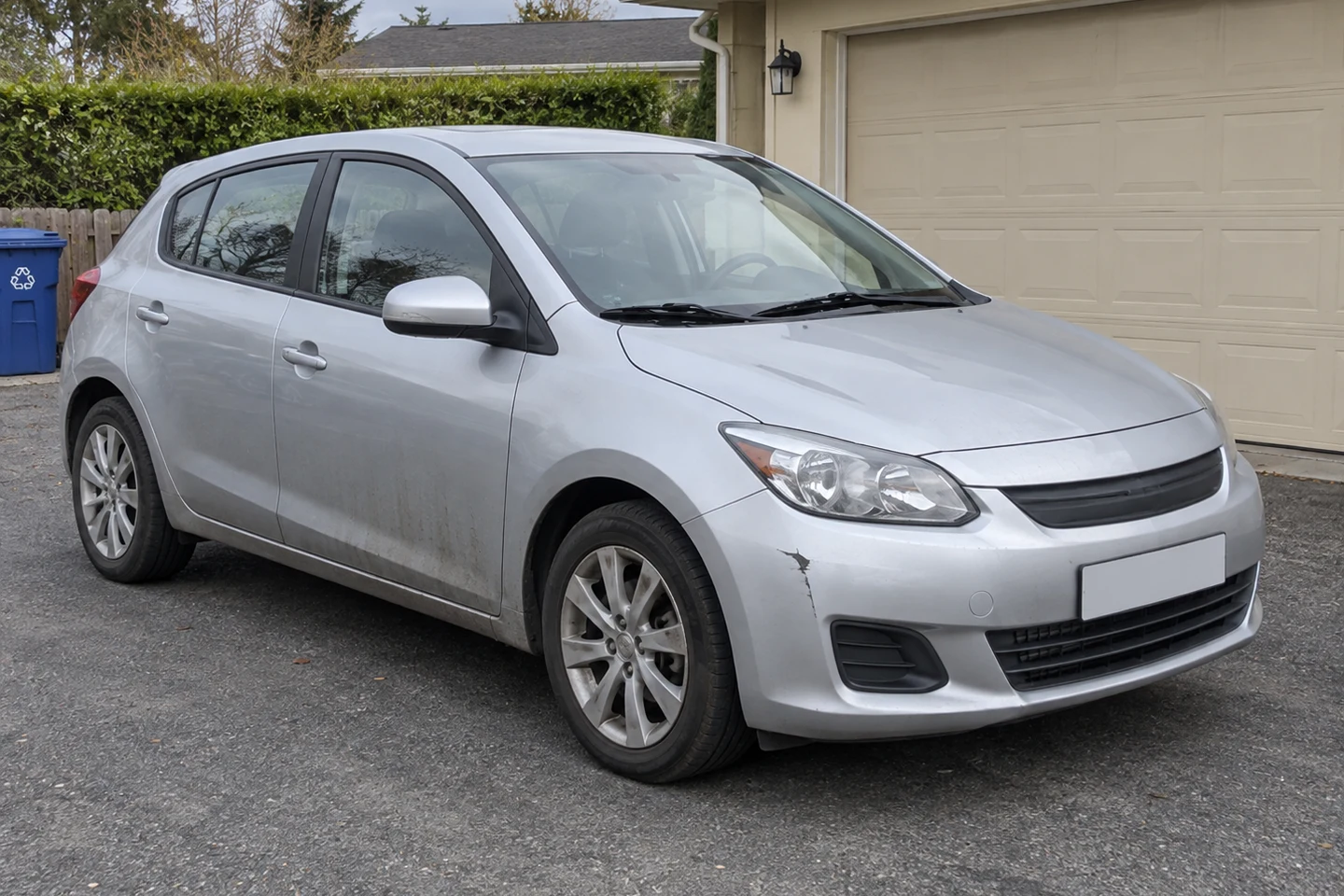
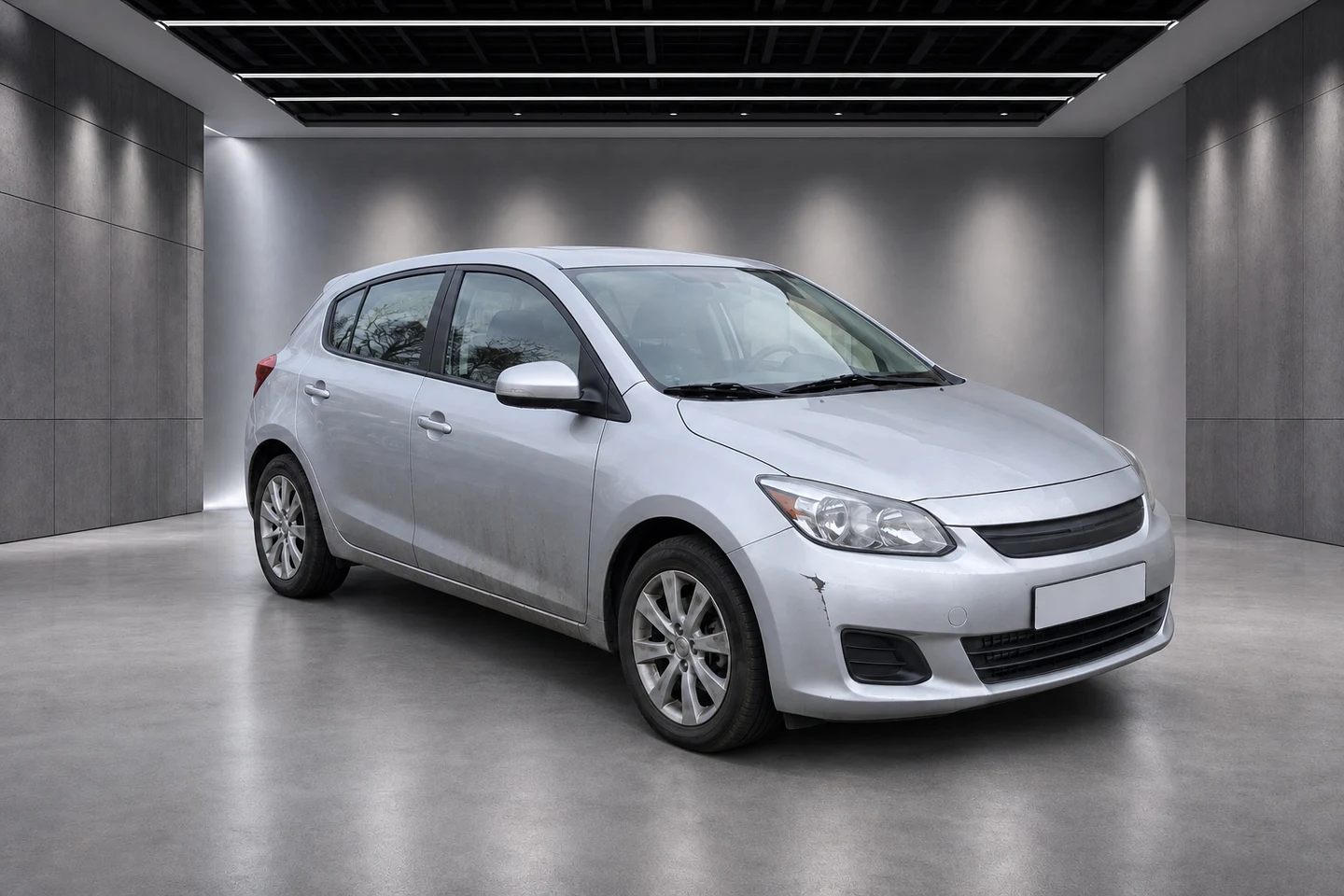
From everyday surroundings to a studio or nature setting. Compare the original photo with the result.
Studio
Before you take your photos, read How to photograph a car for sale.